I had a productive-looking week once where I crossed off about forty tasks and somehow moved nothing important forward. Every box I ticked was real work, but none of it connected to anything bigger — my actual goals, the projects I cared about, the parts of my life I kept saying mattered. I was busy and going nowhere, which is a peculiar kind of exhausting. The problem wasn’t my to-do list; it was that my tasks floated free, with no context telling me whether they served anything. The Projects & Tasks system is what I built to connect the daily doing to the things I actually want to achieve. Here’s how it works.
Why a flat to-do list keeps you busy but stuck
A plain to-do list is great at one thing: telling you what to do next. It’s terrible at telling you whether that thing matters. So you work through it, feel productive, and slowly realise the important projects — the ones with no urgent task screaming at you — have quietly stalled for weeks.
The missing ingredient is structure. Real work isn’t a flat list; it’s layered. There are broad areas you’re responsible for, the projects that move them forward, and the tasks that make up those projects. When your system only captures the bottom layer, you lose the thread that connects a small task to a meaningful outcome. You end up servicing whatever shouts loudest instead of advancing what you chose.
What fixes it is a system that holds all three layers and links them — so every task carries the context of the project and the life area it serves.
What’s inside the Projects & Tasks system
It’s a clean three-layer productivity system, and that layering is exactly what most simple task tools are missing.
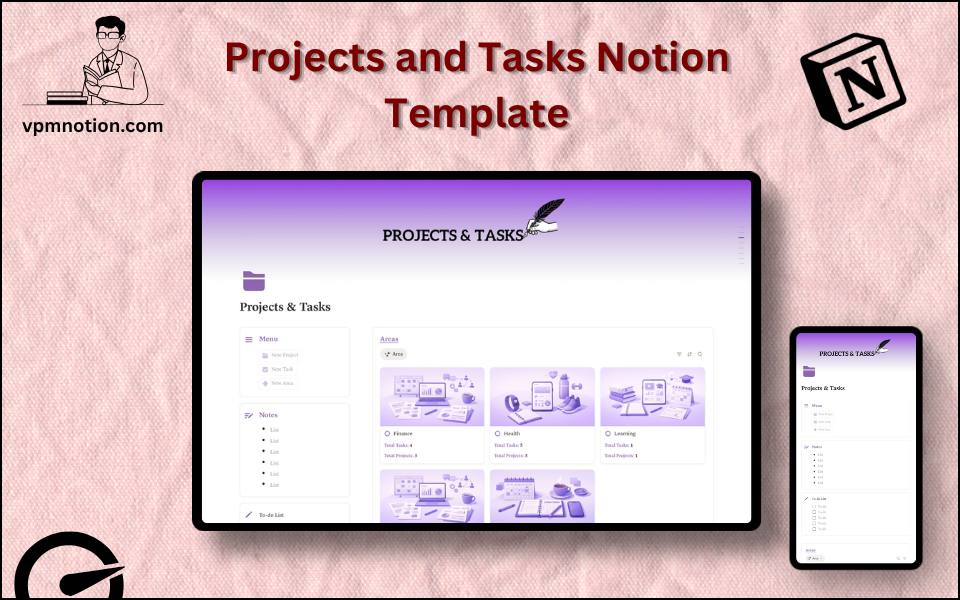
There’s an Areas database for your broad domains — career, health, finance, learning, a side business, whatever your life actually contains — each with a status and a goal. A Projects database holds every active initiative, linked to its area, with a status, dates, and key deliverables. And a Tasks database captures the individual to-dos, each linked up to its project and area, with priority, due date, and an assignee for team use. The links are the magic: a task always knows which project it belongs to, and that project always knows which part of your life it serves.
A quick to-do checklist sits up top for the immediate, no-fuss daily actions, and a Notes section catches thinking that doesn’t belong in a database yet. The structure mirrors a proven approach to organising everything, so it pairs naturally with the PARA method for your wider notes and reference material. For a simpler, single-list capture of daily tasks, an advanced to-do list feeds into it nicely, and for shared team work it overlaps with a work management system.
How I use it day to day
I set up the Areas once — the handful of domains my life genuinely runs on — and then everything hangs off them. New initiatives become Projects linked to an Area, and I break each into Tasks. Because every task carries that context, I can glance at my list and immediately see whether I’m feeding my goals or just staying busy.
My daily flow is the quick to-do checklist for today’s actions, while the databases hold the bigger picture. Each week I scan all three layers to catch anything stalled — and the projects most likely to stall are the important, non-urgent ones, which this structure makes impossible to ignore. Freelance client work lives here as projects beside my freelancer business system, software work flows into an agile sprint system, and at a business level the priorities roll up into a startup operations manager.
What I’d tell anyone setting it up
Define your Areas honestly first — they’re the strategic backbone, and most task systems skip them entirely, which is exactly why they leave you feeling busy but adrift.
Link every task to a project and area. The thirty seconds of linking is what buys you the context that makes the whole system meaningful.
Do a weekly review across all three layers, and pay special attention to the projects with no urgent task attached — those are the meaningful ones quietly slipping. Supporting daily habits sit well alongside in a habit tracker, and the repetitive writing inside projects goes faster with an AI prompt manager.
Be productive on the things that matter
Crossing off tasks feels good, but it’s a poor measure of progress on its own. When your daily work is connected to your projects and your projects to the areas of life you actually care about, “busy” turns into “moving forward.” That connection is the whole point.
If your to-do list keeps you busy without moving the things that matter, you can get the Projects & Tasks system here for free and connect your daily work to your bigger goals.
What’s a meaningful project of yours that keeps stalling? Tell me in the comments.
Found this useful? Share it with someone who needs it.